
AutoC Web
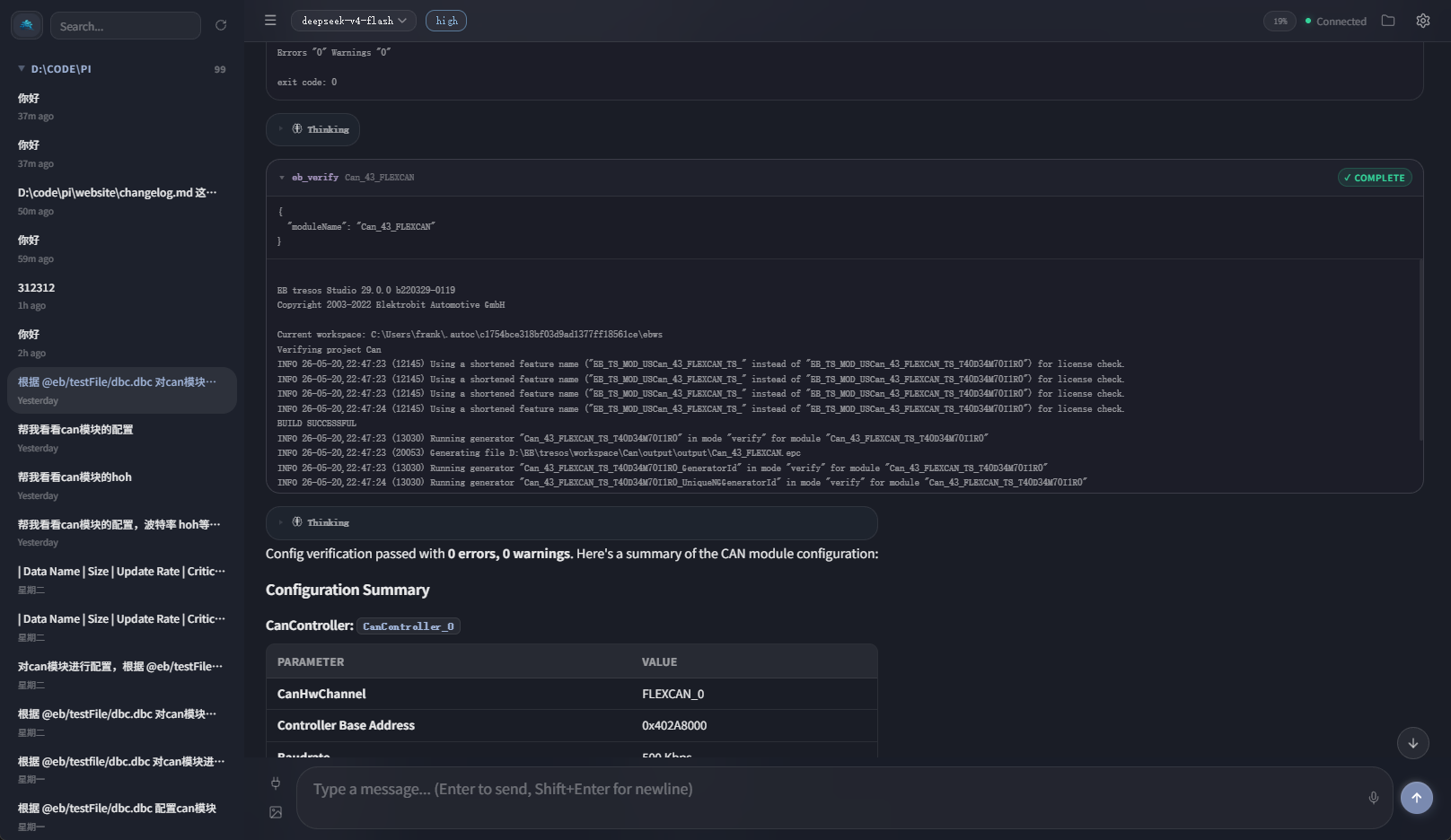
autoc web runs AutoC in the browser — same Agent, sessions, and EB toolchain. Good for large screens or mobile viewing.
Quickstart
Same as TUI: cd to the project first.
powershell
cd D:\projects\my-eb-project
autoc web
Default: http://127.0.0.1:3141, opens browser automatically.
| Option | Purpose |
|---|---|
--port <n> | Listen port (default 3141) |
--host 0.0.0.0 | LAN access |
--no-open | Do not open browser |
-c | Continue latest session |
Authentication
Web has no login form. Complete WhyEngineer login in the TUI (/login) before starting autoc web.
UI
| Area | Purpose |
|---|---|
| Sidebar | History, search, export, delete |
| Top bar | Model, thinking level, cost, context |
| Messages | Markdown, collapsible tool cards |
| Input | Text, images, command palette |
| Files | Browse project, insert @ refs |
Enter send, Shift+Enter newline, Esc abort.
vs TUI
| Capability | TUI | Web |
|---|---|---|
| Chat, EB tools | Yes | Yes |
/login | Yes | No (TUI first) |
| Full slash commands | Yes | Partial (palette) |
/tree, /fork | Yes | No |
Advanced session ops: use TUI. Storage matches Sessions.
Advanced
--host 0.0.0.0 has no built-in access control — do not expose on untrusted networks. Add to home screen as PWA on mobile (Web server must stay running).