
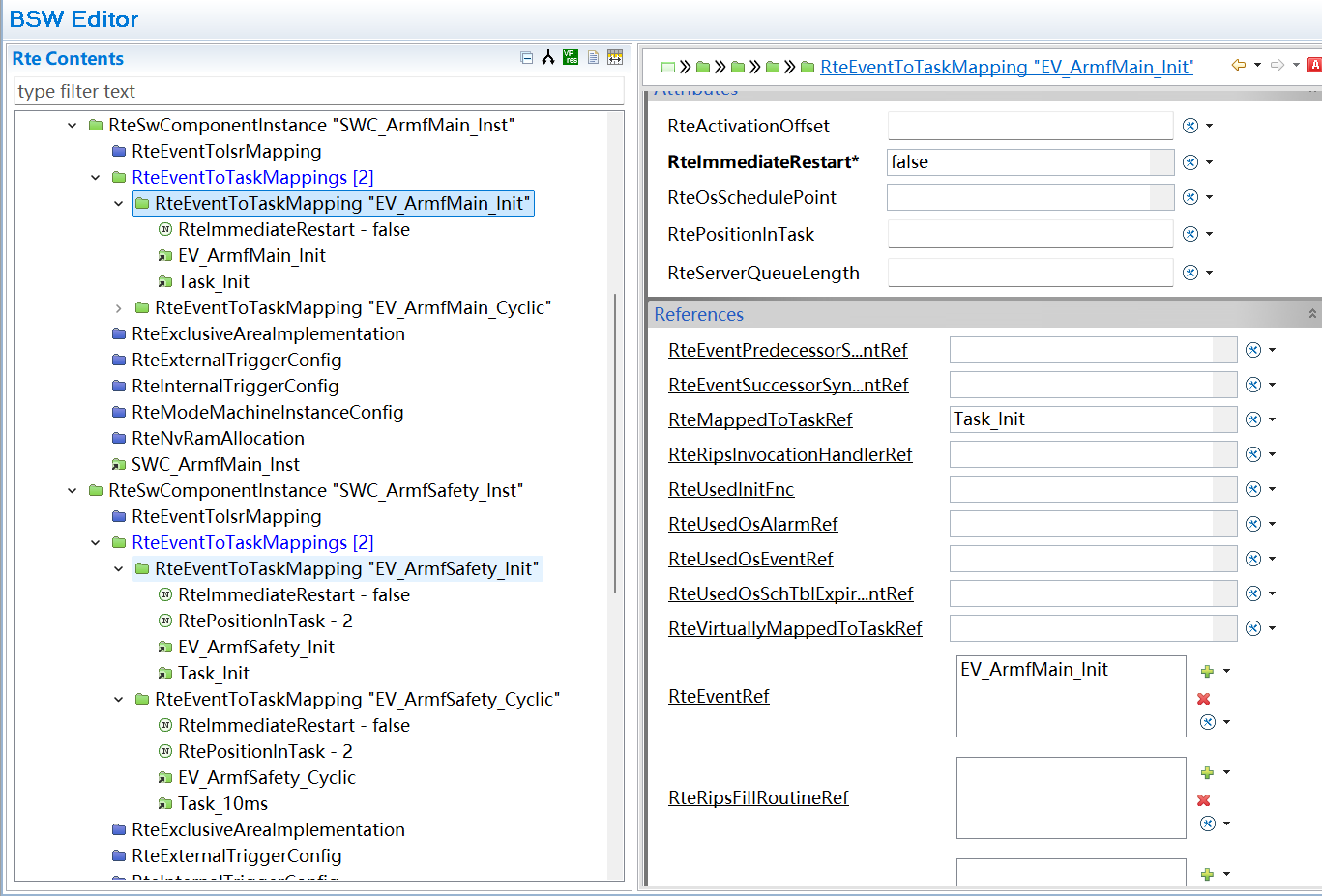
Three AUTOSAR Toolchains, Complete — AI Can Now Configure EB, DaVinci, and ETAS
ETAS ISOLAR support and System Template round out EB, DaVinci, and ETAS coverage; load SwcD and other system-level ARXML so RTE configuration no longer stalls on empty reference lists.
Last week we shipped two features that had been in the works for a while:
- AutoC support for the ETAS RTA-CAR / ISOLAR-B toolchain
- System Template, which lets you load system-level ARXML such as SWC descriptions into the working context
We cover both in one post because they often show up together. When configuring RTE, if SwcD is not loaded, RTE has no way to know which SWCs, runnables, and ports are available.
ETAS support first
AutoC already supported EB tresos and Vector DaVinci Configurator. ETAS is the third toolchain we added.
Configuration needs at least the install path and project path:
{
  "etas": {
    "installPath": "D:\\ETAS\\RTA-CAR_12.1.0\\ISOLAR-AB_12.1.2",
    "projectPath": "."
  }
}
If auto-discovered ECUC value ARXML files are not the ones you need, set etas.dataArxmlPaths to list the files to load (relative to the project root; globs and multiple files supported). See ETAS ISOLAR configuration.
Put this in .autoc/settings.json under your project directory and run /reload to apply it. You can also use /settings for interactive setup — open the ETAS ISOLAR submenu, which is easier the first time around.
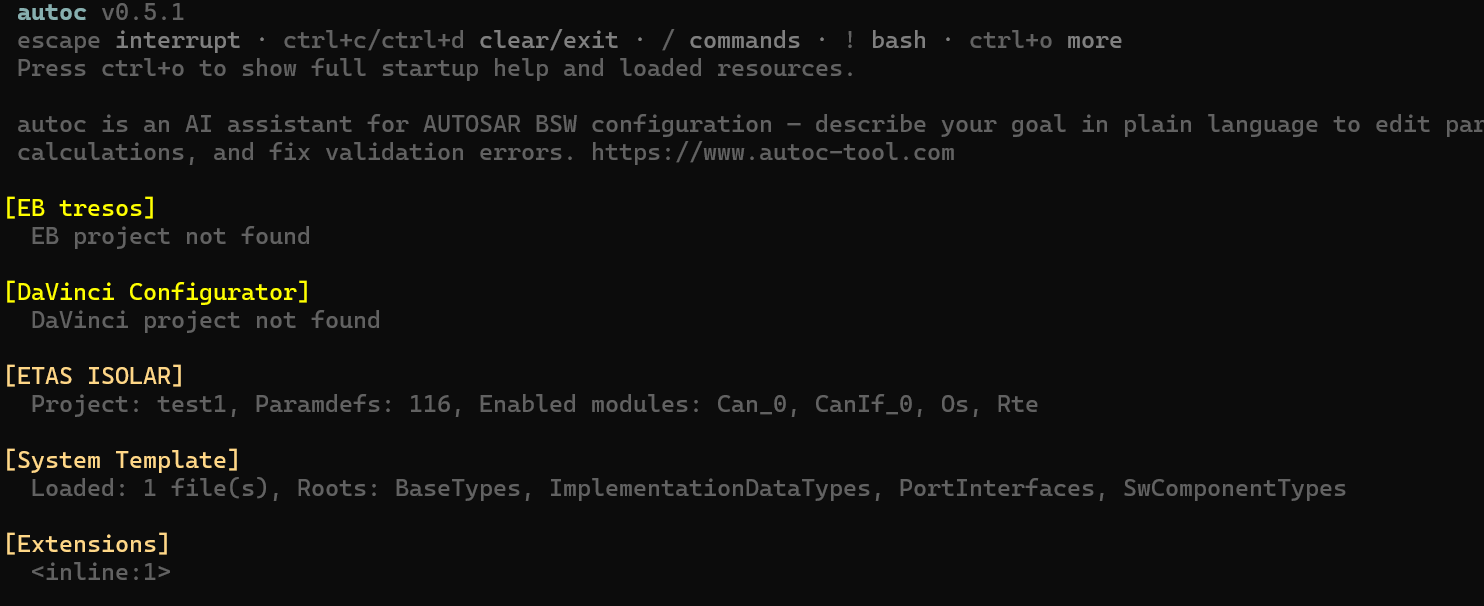
To confirm configuration succeeded, check the ETAS ISOLAR line in the startup output:
System Template
System Template looks small on the surface, but anyone who has configured RTE or the communication stack knows what problem it solves.
BSW configuration files contain many foreign references. Com signals reference signal definitions in the system description, RTE references SWC runnables, and PduR references PDUs. The catch is that these objects are not in the BSW project — they live in a separate set of system-level ARXML files.
If those files are not loaded, AutoC returns an empty list when enumerating v:ref candidates. System Template does one straightforward thing: it brings those system-level ARXML files into the current working context.
The recommended way to load them is the /system command:
/system import Config/System/Armf_SwcD.arxml
/system import Config/System/*.arxml
Glob patterns are supported, and you can separate multiple files with commas. You can also add paths to settings.json:
{
  "autosar": {
    "systemTemplatePaths": [
      "Config/System/Armf_SwcD.arxml"
    ]
  }
}
Once loaded, reference-based configuration items in RTE, Com, and PduR can resolve to real candidates.
An ARMF project example
Below is a full walkthrough using an ARMF project. Here, ARMF is the active roll stabilization control software component on a production platform; the system description file is Armf_SwcD.arxml.
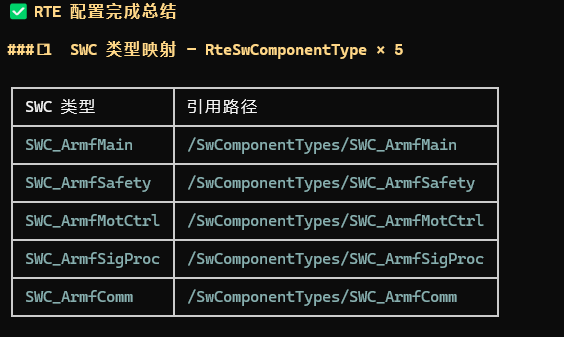
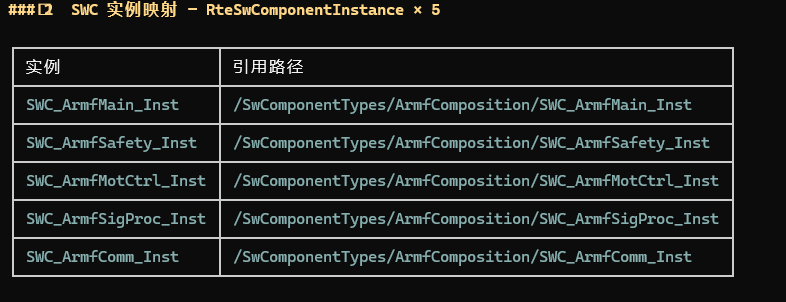
The ARMF software component is split into five SWCs:
| SWC name | Role |
|---|---|
SWC_ArmfMain | Main control logic, 10 ms cycle |
SWC_ArmfSafety | Safety monitoring, 10 ms cycle |
SWC_ArmfMotCtrl | Motor control, 1 ms fast task + 10 ms slow task |
SWC_ArmfSigProc | Signal processing, 10 ms cycle |
SWC_ArmfComm | Communication handling, 20 ms cycle |
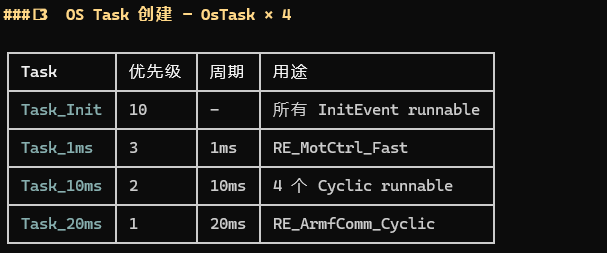
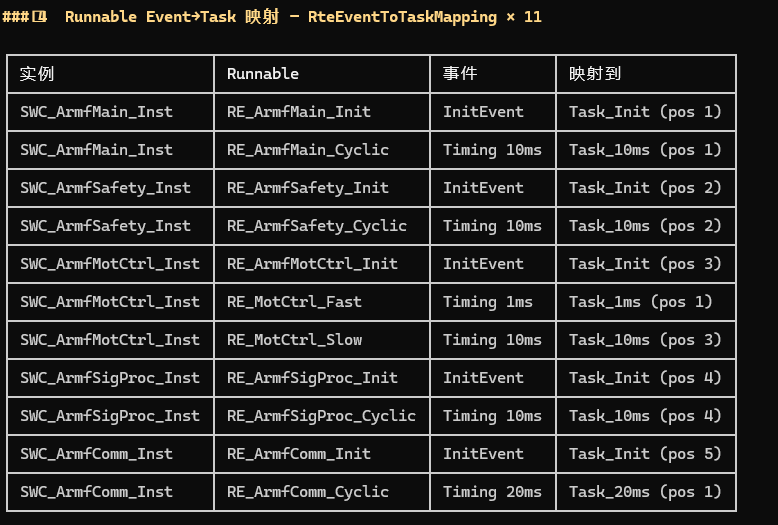
Each SWC has an Init runnable and at least one Cyclic runnable. SWC_ArmfMotCtrl adds two periodic tasks: RE_MotCtrl_Fast at 1 ms and RE_MotCtrl_Slow at 10 ms. Fast/slow layering like this is common in motor control.
Ports fall into two main categories:
- SR ports:
TqReqFrnt(torque request),PwrCnsLim(power limit),VehModMngt(vehicle mode management),ActvRollBarStsFrnt(active roll bar status), and others - CS ports:
CSIf_Dem(fault reporting),CSIf_NvM(non-volatile memory read/write)
[Screenshot placeholder: SWC port connection diagram — Composition view as seen in ETAS or DaVinci]
Step 1: Load SwcD
Import the ARXML:
/system import Armf_SwcD.arxml
Step 2: Configure RTE
With SwcD loaded, you can ask AutoC to configure RTE from it:
Based on the loaded SwcD, configure RTE for me —
SWC mappings, runnable entities, and data access points should follow the SwcD definitions
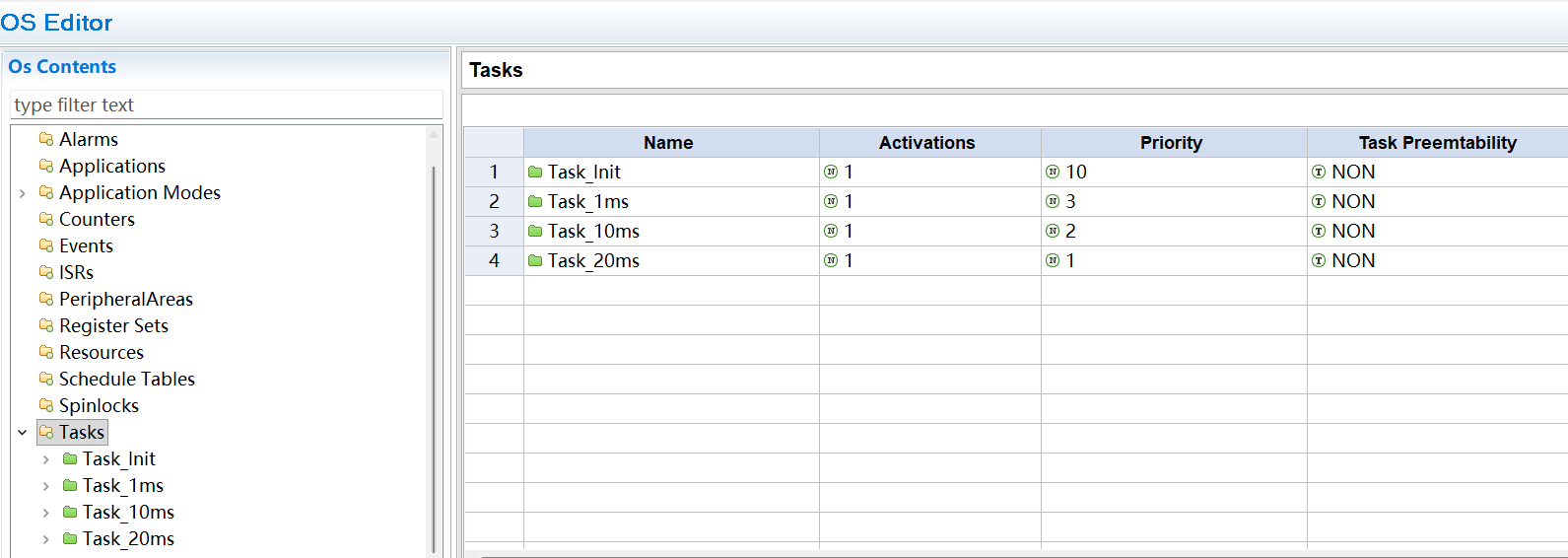
AutoC reads SWC type definitions, ports, and runnables from SwcD, then generates the corresponding RTE configuration items:
SwcInstanceToTaskMappingRunnableEntityPortDefinedArgumentValue/DataReceivedErrorEvent
Summary
This update adds two capabilities.
With ETAS support in place, AutoC now connects to all three common toolchains: EB, DaVinci, and ETAS. Whichever toolchain your project uses, AutoC hooks into it.
System Template expands the working scope from "BSW only" to "BSW plus system-level ARXML together." Configuration that references SWCs, signals, or PDU definitions — RTE, Com, PduR — can now be done properly.
Documentation for both features:
If your project uses ETAS, or RTE configuration keeps stalling because reference candidates are empty, try these two features first.